PhysicalMaterial node demo
This page presents early-stage work for directly exporting the X3D V4 PhysicalMaterial node from Blender. There is an existing two-step export and conversion based on current implementations of Blender (and the Blender glTF import/export extension ) and Castle Game Engine to performing this conversion.
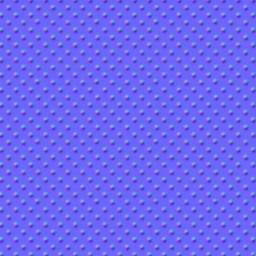
The example material shown here is intended to represent brass metal (by choice of base color , metallic, and roughness values ), and a normal map defined by a texture to give the visual appearance of indentations ("dimples") in the metal. For simplicity texture-based blending of the base color , metallic, roughness are not tested with this example.
Initial results:
- The two-step process, along with some manual editing, yields an X3D file that passes current X3D V4 validation
- The resulting file, along with X3DOM variant described below, give equivalent visualizations in three X3D viewers
- Reminded that X3DOM uses different names for some of the fields of the PhysicalMaterial node.
modified Dec 16 2025
Viewer renderings
Results for other X3D viewers
- InstantPlayer 2.8.0 renders just a white rectangle, not surprisingly since 2.8.0, the latest public release, was released in July 2016.
- Freewrl 6.7.0 does not render anything, and an error message is written to console.
Workflow to prepare X3D files from Blender material
- Create material in Blender 4.2 with assistance from Blender Material documentation and wealth of tutorial information on the web. For purposes of this project the material was applied to a simple planar rectangle mesh.
- Export from Blender as glb file using the standard glTF Blender extension.
- Import glb into Castle Model Viewer and save as X3D file named dimpled_brass.x3d
- Edit dimpled_brass.x3d file with X3D-Edit plug-in to NetBeans.
- Removed the proposed X3D v4.1 Tangent node that Castle Game Engine conversion includes in X3D export.
- For readability replaced the PixelTexture node with an ImageTexture node.
- With assistance of X3D-Edit QA tools edited some non-conforming DEF values and added recommended meta tags.
-
Created a non-conforming variant file named dimpled_brass_x3dom.x3d which uses different field names in the PhysicalMaterial node. Refer to the differing specifications:
- X3DOM PhysicalMaterial documentation.
Additional downloadable files: